


Description
Download WiFi Passwords: Instabridge – Free Wi-Fi Hotspots, Secure Browsing, Offline Maps
Overview
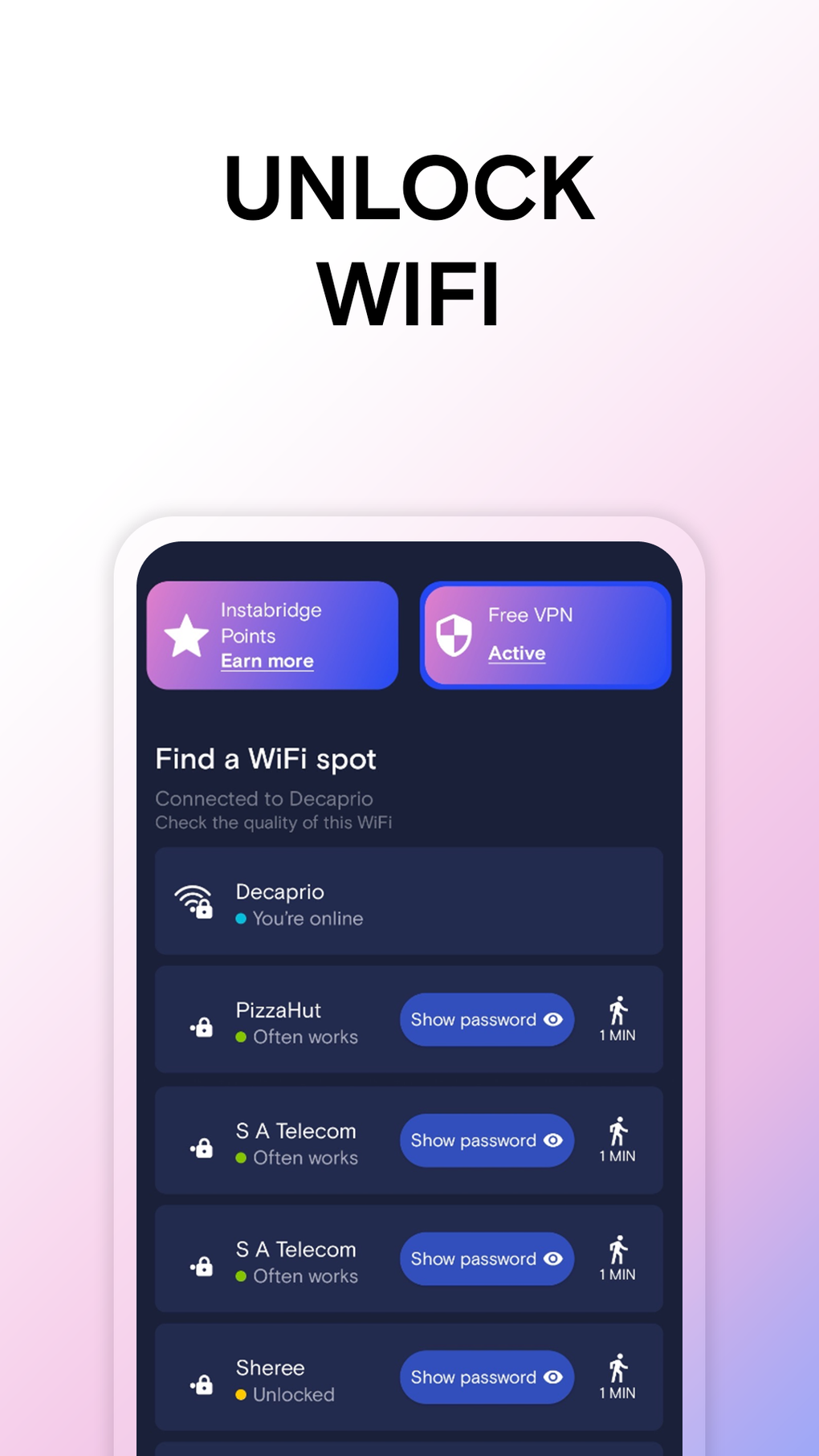
WiFi Passwords: Instabridge is a mobile application designed to simplify internet access by providing users with a vast network of free Wi-Fi hotspots. The app leverages a community-driven database of over 20 million hotspots, enabling users to connect seamlessly in public spaces such as airports, cafes, and urban centers. Its primary purpose is to eliminate the need for manual searches for available networks and to reduce reliance on mobile data plans. The target audience includes frequent travelers, remote workers, and anyone seeking reliable, cost-free internet access on the go. The developer, Degoo Backup AB – Cloud, is noted for creating tools tailored to mobile users, suggesting a focus on usability and accessibility. The app operates in real-world scenarios where connectivity is essential—such as during transit, in unfamiliar cities, or when roaming data is limited. It supports anonymous browsing through an integrated VPN, enhancing privacy during public network usage. While the app claims to offer unlimited browsing with no data caps, specific technical details about connection stability or network encryption protocols were not provided. The app is available exclusively on Android and is free to download and use.
Key Features & Capabilities
- Community-Driven Hotspot Database: Access to over 20 million Wi-Fi hotspots shared by users worldwide, enabling quick discovery of nearby networks.
- Automatic Connection: The app can detect and connect to available hotspots without manual intervention, streamlining the user experience.
- Real-Time Network Statistics: Displays connection speed, popularity, and data usage for each hotspot, helping users make informed decisions.
- Integrated VPN: Offers secure, anonymous browsing on public networks, protecting user data from potential threats.
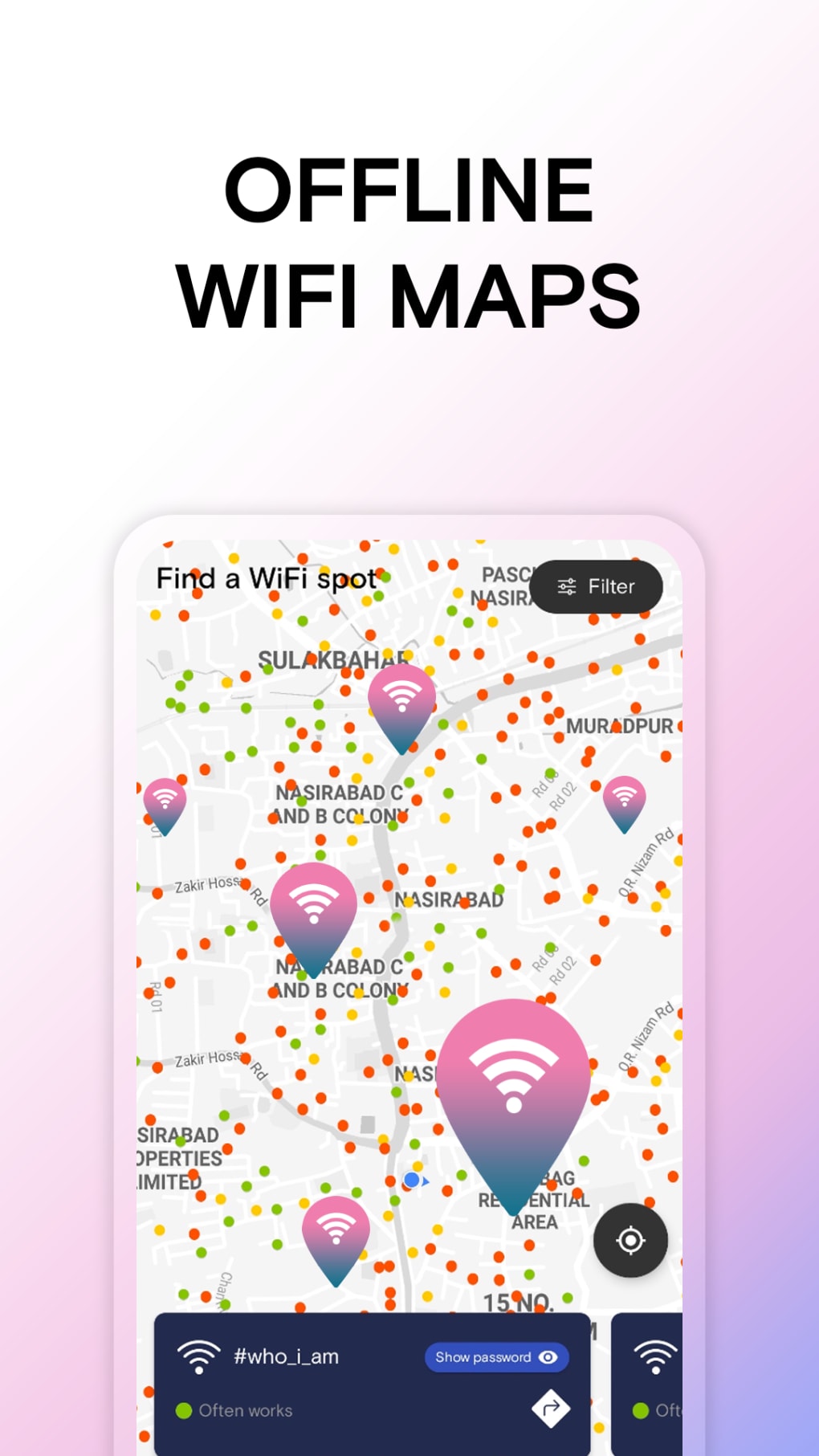
- Offline Maps: Allows users to locate hotspots even when data connectivity is limited or unavailable.
- Speed Testing: Built-in functionality to test connection speed at any detected hotspot for performance verification.
These features are particularly useful in travel scenarios, where users may need immediate internet access without incurring roaming charges. The automatic connection feature reduces friction in high-traffic environments like airports or train stations. Offline maps ensure functionality even in low-connectivity zones, making the app a practical companion for urban exploration. The integration of a VPN adds a layer of security, which is critical when using unsecured public networks. However, the app’s reliance on community-sourced data means that hotspot availability may vary by region and time. Performance data such as connection reliability or latency were not specified.
User Interface, Workflow & Performance
The user interface is designed for simplicity and efficiency, prioritizing quick access to hotspot locations and connection status. Navigation is likely streamlined through a map-based layout, with visual indicators for network availability, speed, and proximity. The workflow begins with app launch, followed by automatic hotspot detection and connection, minimizing user input. Users can view real-time statistics and initiate speed tests with minimal interaction. The app’s performance is expected to be responsive on modern Android devices, though specific details about CPU or RAM usage were not provided. Stability during prolonged usage and background operation were not documented. The developer did not specify resource usage details, so users should monitor performance based on their device’s capabilities. No reports of crashes or freezes were mentioned. The app’s ability to function offline through its map system suggests optimized data handling. Overall, the workflow appears intuitive for users seeking fast, hassle-free connectivity, especially in dynamic environments.
Compatibility & System Requirements
WiFi Passwords: Instabridge is compatible with Android operating systems and is available for download on the Google Play Store. The app’s installation size was not specified. Exact system requirements were not listed, including minimum Android version, RAM, or storage capacity. Compatibility information is limited to the platform, with no details on support for tablets, wearables, or other devices. The developer did not provide information on hardware requirements such as processor speed or GPU support. Users should ensure their device meets standard Android app requirements for optimal performance. The app’s functionality relies on GPS, Wi-Fi scanning, and internet access, which may impact battery life during extended use.
Pros and Cons
Pros
- Access to over 20 million free Wi-Fi hotspots worldwide.
- Automatic connection to detected networks reduces user effort.
- Integrated VPN enhances privacy on public networks.
- Offline maps allow hotspot discovery without active data.
- Free to download and use with no data limitations.
Cons
- Hotspots may be located up to 10 minutes away, causing inconvenience in urgent situations.
- Limited to Android platform; no support for iOS or other operating systems.
- Exact system requirements and performance metrics were not disclosed.
- Reliance on community-sourced data may lead to inconsistent availability.
- Automatic connection may trigger unintended network switches in dense urban areas.
FAQ Section
Is WiFi Passwords: Instabridge available for iOS devices?
The app is currently available only on Android. No information was provided about iOS compatibility.
Does the app require an internet connection to function?
While the app needs an initial internet connection to download hotspot data and update the database, it includes offline maps that allow hotspot discovery without active data.
Is the app safe to use with personal data?
The app includes a built-in VPN for secure browsing on public networks. However, specific details about data encryption protocols or privacy policies were not provided.
How often are the hotspot databases updated?
The developer did not specify the update frequency for the hotspot database. Updates are likely driven by user contributions and community activity.
Can I use the app without an account?
The app is free to download and use without requiring a login or registration. No account creation is necessary for basic functionality.
Final Thoughts + CTA
WiFi Passwords: Instabridge stands out as a practical tool for users seeking unrestricted access to free Wi-Fi hotspots, particularly in urban environments and during travel. Its combination of a large community-driven database, automatic connection, and offline functionality makes it a compelling option for mobile users. While the lack of detailed system requirements and platform limitations restrict its accessibility, the app delivers on its core promise: fast, secure, and cost-free internet access. The integrated VPN and offline maps enhance usability in challenging connectivity scenarios. However, the potential delay in hotspot availability—up to 10 minutes away—may be a drawback for users in urgent need of connectivity. For Android users who frequently rely on public Wi-Fi, this app offers a valuable solution. Download WiFi Passwords: Instabridge now and enjoy seamless, secure internet access wherever you go.
Guides & Tutorials for Free WiFi Passwords Hotspots by Instabridge APK
How to install Free WiFi Passwords Hotspots by Instabridge APK
- Click the Preview / Download button above.
- Once redirected, accept the terms and click Install.
- Wait for the Free WiFi Passwords Hotspots by Instabridge APK download to finish on your device.
How to use Free WiFi Passwords Hotspots by Instabridge APK
This software is primarily used for its core features described above. Open the app after installation to explore its capabilities.
User Reviews for Free WiFi Passwords Hotspots by Instabridge APK 0
No reviews found





